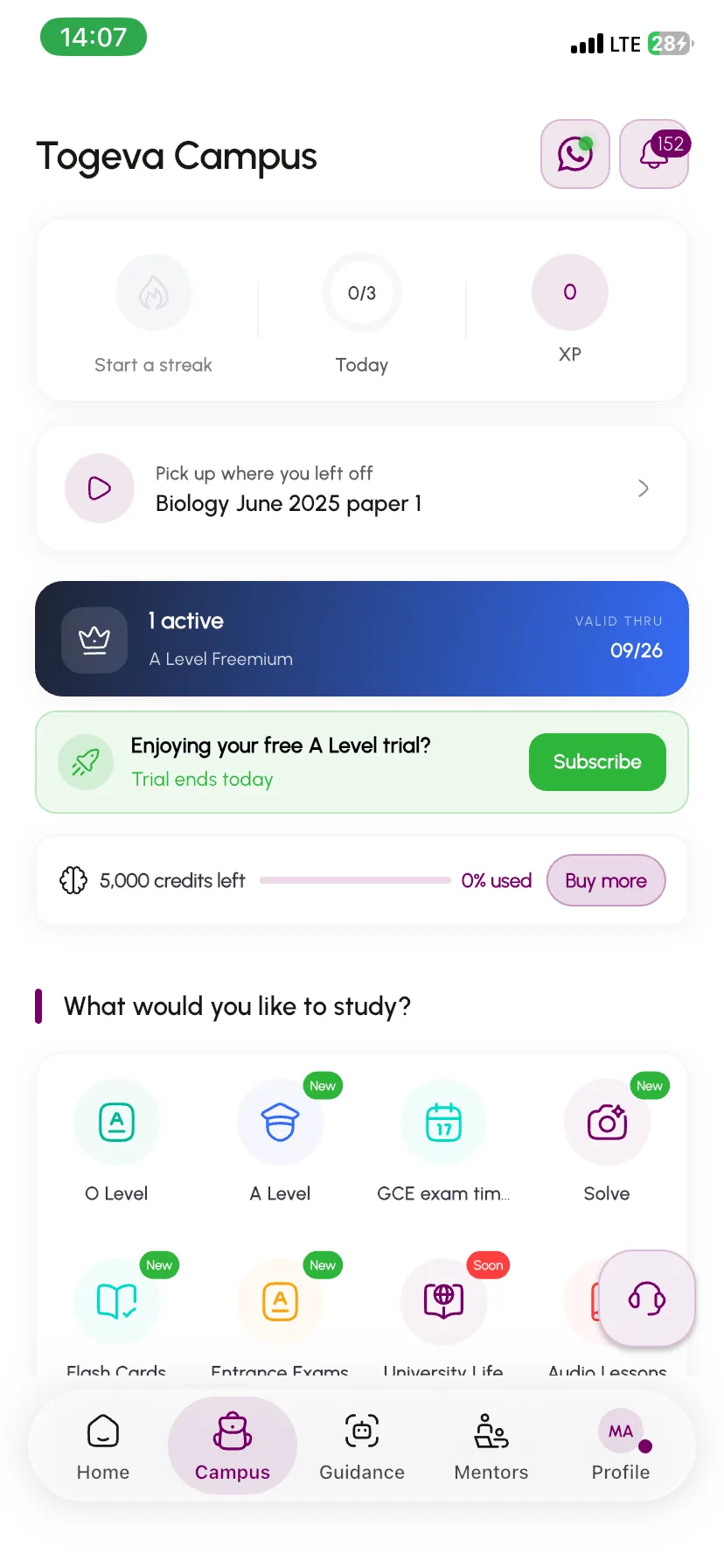
O Level, A Level, entrance exams, university courses and continuous assessment — real papers, organised the way you study, with AI help when you are stuck.
Most platforms just hand you a scanned PDF and call it a day. You deserve better.
The scanned PDF
Page 3 of 12 · pinch to zoom
Blurry, unreadable scansPhotocopied PDFs passed around until the text is barely legible.
No structure or organizationHundreds of files dumped into folders with no way to find what you need.
Not built for mobilePinch-to-zoom on a tiny screen to read a full A4 page? No thanks.
No help when you're stuckYou see the question, but when you don't understand it — you're on your own.
On Togeva Campus
With Togeva Campus, every question is extracted, structured, and presented so you can actually read it, interact with it, and learn from it — right on your phone.
What you get
Five ways to study. One platform.
O Level, A Level, entrance exams, and both halves of university — every paper you need, organised the way you actually study.
GCE O Level
Ordinary Level papers
Every O Level subject, paper by paper, kept apart from A Level so you always practise at the level you sit.
Subject-organised papers
Marking-scheme structure
AI explanations per question
GCE A Level
Advanced Level papers
A Level subjects and papers with the same structure, so moving up a level does not mean learning a new app.
Level-appropriate content
Paper 1, 2 and 3 splits
AI explanations per question
Concours
Entrance exam past questions
Past papers for the competitive entrance exams into Cameroon's universities and professional schools, organised by the school you are sitting for.
School-by-school papers
Grouped by exam session
Built for repeat practice
University
Course past questions
Courses organised by your university, faculty, department and level, so what you open matches the programme you are actually registered in.
Department-specific content
Semester-aligned access
Multiple campus profiles
University
Continuous assessment
The CAs sitting inside each course, filterable on their own — the paper most students hunt for first, and the hardest one to find anywhere else.
Filter a course down to CAs
Alongside finals and tutorials
Year after year, in one place
AI Assistance
Get help when you're stuck
Ask for explanations and step-by-step walkthroughs on any past question. AI tutoring turns dead ends into learning moments.
Streamed explanations
Question-specific help
On-demand tutoring
How it works
How it works
From sign-up to studying in minutes.
1
Step 01
Create your account
Sign up on the Togeva app and set up your profile.
2
Step 02
Set up your campus
Add your university, department, and level — or select your GCE track.
3
Step 03
Choose a plan
Pick University Life for tertiary content or a GCE plan for O-Level / A-Level.
4
Step 04
Start studying
Browse questions, interact with each one, and use AI help when you need it.
Why Campus
Why Togeva Campus
Built for how students actually study.
AI when you need it
Stuck on a question? Get on-demand explanations so difficult problems become learning opportunities.
Aligned to real institutions
Content follows your university's actual hierarchy — faculty, department, course — so you study what matters for your exams.
Interactive, not just PDFs
Each question is extracted and presented individually. Tap, read, interact — no more pinching and zooming on blurry scans.
True mobile experience
Designed for your phone from day one. Study on the go with a clean interface that actually works on a small screen.
Fair, scoped access
Your subscription matches your studies — department, level, and semester. You get exactly what's relevant to you.
Always expanding
New universities, courses, and papers are added regularly. The catalog grows with the community.
Questions
Frequently asked questions
Still have a question?
Ask in the Togeva Campus WhatsApp group — students and the Togeva team answer there.
No — there is a GCE track for O-Level and A-Level as well. Both secondary and tertiary students can use Campus.
02Does my subscription include every university?
University Life access is tied to your department, level, and plan. You get what matches your studies, not a random question bank.
03Can I have more than one campus on my profile?
Yes — useful for multiple programs or transfers. Your subscriptions align to your chosen campus entry.
04What does the AI do?
It explains and tutors on past questions when you have AI tokens. Think of it as a study partner that's always available.
05How is content added?
Togeva curates and expands the catalog through internal tools. Coverage grows over time as more institutions are onboarded.
06Is this just another PDF app?
No. Questions are extracted from documents and presented individually in a clean, mobile-friendly interface. You interact with each question, not a scanned page.
Free to download
Ready to study smarter?
Download the Togeva app and access past questions the way they should be — clean, interactive, and built for your phone.